Removing M2B/B2M Attributes
If you have miscellaneous solids that are marked with the M2B/B2M VISI utility, then this tool will allow you to clean them up so your shrink list only contains the things that are supposed to be there.
How to use:
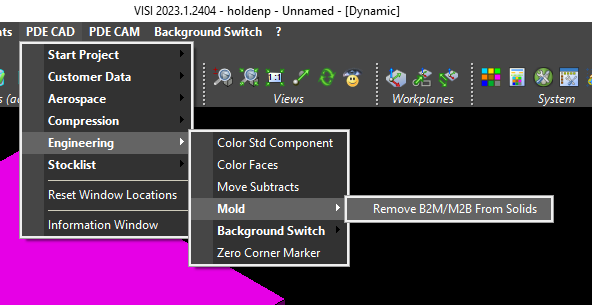
- Run the tool by using the menu shortcut as shown in the screenshot below.
- Select the solids you want the attributes removed from.